
An identity behind every signature
Certificate-based signing helps establish who signed a document.

QuickSign is a certificate-based digital signing service backed by Bangladesh Computer Council (BCC-CA). Sign, share and verify documents securely from anywhere.
A QuickPass account is required. How to register
Less paper. More possibility.
Set up once. Then take your documents from ready to signed.
You need a QuickPass account to sign in to QuickSign. QuickPass is BCC’s mobile app for passwordless authentication.
Create your account, verify your identity, and register your device. Then you’re ready to sign in.


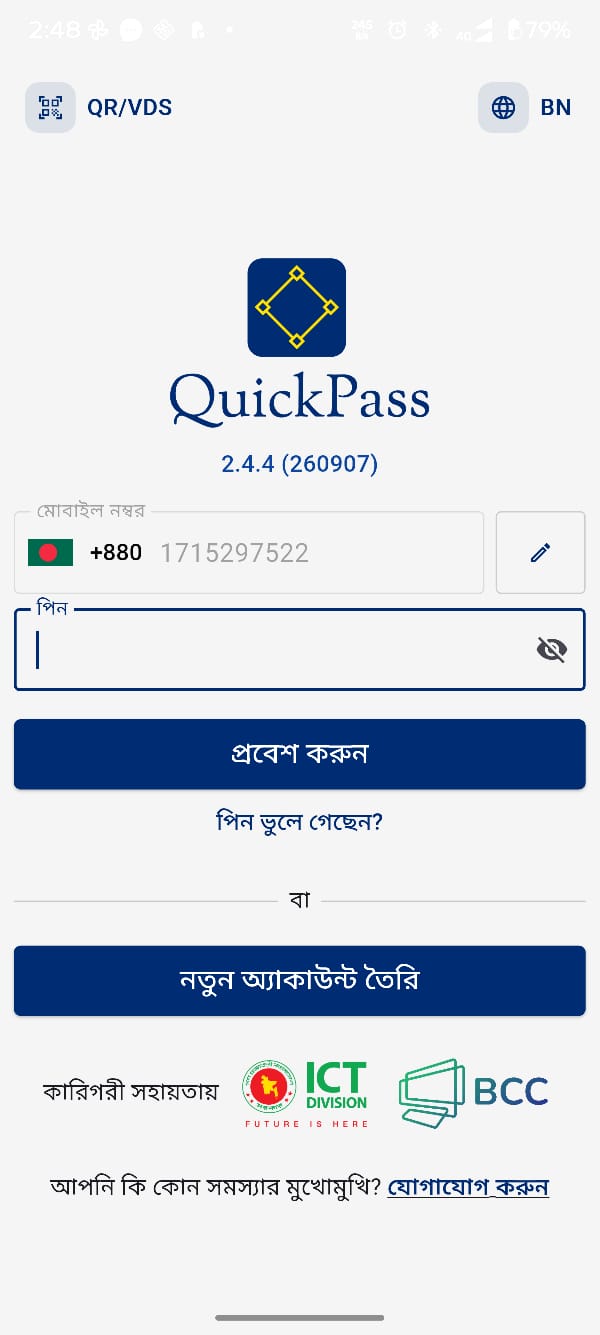 QuickPass login
Sign in to QuickSign and select the document you need to sign.
Check the document and confirm the signing request is yours.
Use QuickPass to authorise the request on your registered phone.
Save the signed document and check its digital signature.
Connect your identity, your intent, and your document.
Certificate-based signing helps establish who signed a document.
Keep track of your signing workflow and the documents you send.
Digital signature verification checks the integrity of signed content.
Request signatures and keep agreements moving between the people involved.
Review and authorise signing requests through QuickPass on your phone.
Reduce the need to print, scan, and physically deliver documents.
From individual applications to shared organisational workflows.
Sign applications and personal agreements digitally, where the receiving organisation accepts them.
Explore use casesBring digital signing to official correspondence, approvals, and departmental documents.
Explore use casesKeep contracts and business approvals moving without a round trip to the printer.
Explore use casesSee where your document goes, when you authorise it, and how to check the finished signature.
Follow the walkthrough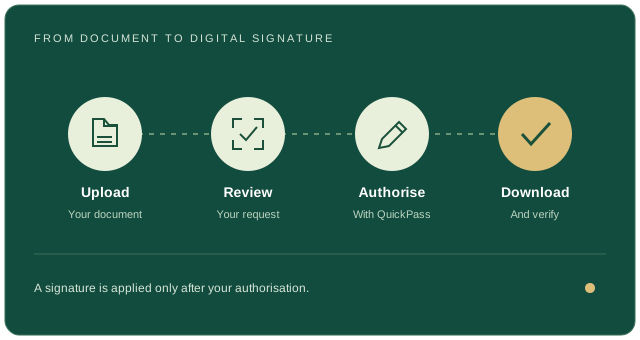
A connected signing experience, with trust at its centre.
Access QuickSign through your web browser, without installing additional software.
Authorise signing requests using your registered mobile using QuickPass app.
Support trusted digital transactions with BCC-CA-issued digital certificates.
Complete the required QuickPass identity verification before using the service.
Choose a signing plan suited to individual users and organisational needs.
Integrate digital-signature services into your applications and organisational workflows.
Check digital signatures, certificate validity, and document integrity.
Reduce reliance on printing, scanning, and physical document delivery.
Review signing requests before approving them.
What to know before your first digital signature.
View all questionsQuickSign is the digital signing service from Bangladesh Computer Council’s Certifying Authority (BCC-CA). It lets you prepare documents, request signatures, and digitally sign through an online workflow.
Yes. You need a QuickPass account to sign in to QuickSign. QuickPass is BCC’s mobile app for passwordless authentication. Register and complete the identity and device setup in QuickPass before signing in.
No. A scanned signature is an image. A certificate-based digital signature connects a signer to a document and helps a verifier detect changes to its signed content.
Bangladesh’s ICT Act, 2006 and its applicable amendments provide a framework for digital signatures and electronic records. Acceptance depends on the transaction, certificate, and applicable requirements. Check with the organisation receiving your document.
Use a compatible signature verifier to inspect the signature, certificate status, and document integrity. The Controller of Certifying Authorities provides an official digital signature verification service.
Pricing below follows the approved BCC-CA eSign fee schedule. Rates are in BDT per eSign; applicable VAT and tax should follow the approved schedule.
| Package | Signatures per Plan details | BDT / signature |
|---|---|---|
| Government eSign API Plan | Unlimited validity | 1.00 |
| Package | Signatures per Quota / storage / validity | BDT / signature |
|---|---|---|
| Government Web · 50 eSign | 100 MB/user · Unlimited validity | 0.00 |
| Government Web · 1,000 eSign | 200 MB/user · Unlimited validity | 1.00 |
| Government Web · 2,000 eSign | 200 MB/user · Unlimited validity | 1.00 |
| Government Web · 5,000 eSign | 200 MB/user · Unlimited validity | 1.00 |
| Government Web · 10,000 eSign | 200 MB/user · Unlimited validity | 1.00 |
| Package | Signatures per eSign volume | BDT / signature |
|---|---|---|
| Extra Small | Up to 5,000 eSign | 30.00 |
| Small | 5,001 to 10,000 eSign | 25.00 |
| Medium | 10,001 to 50,000 eSign | 20.00 |
| Regular | 50,001 to 1,00,000 eSign | 15.00 |
| Large | 1,00,001 to 5,00,000 eSign | 10.00 |
| Extra Large | 5,00,001 to 10,00,000 eSign | 5.00 |
| Open | Above 10,00,000 eSign | 2.50 |
| Package | Signatures per eSign quota | BDT / signature |
|---|---|---|
| Extra Small | 10 eSign | 24.00 |
| Small | 50 eSign | 22.00 |
| Medium | 100 eSign | 20.00 |
| Regular | 500 eSign | 18.00 |
| Large | 1,000 eSign | 16.00 |
| Extra Large | 2,500 eSign | 14.00 |
| Double XL | 5,000 eSign | 12.00 |
| Open | 10,000 & above eSign | 10.00 |
Have your QuickPass account ready? Take the next step.
Use eSign API services to bring certificate-based digital signing into your applications and organisational workflows.
{
  "userId": "01XXXXXXXXX",
  "tranId": "123456",
  "credId": "<key_alias>",
  "documentName": "test name",
  "inputData": "<base64-digest>"
}